
Music you make on your own machine
Miso is a studio around audio.cpp. Projects that persist, a history of every take, and a record of exactly how each clip was made, so you can change one thing and try again.
docker compose up -d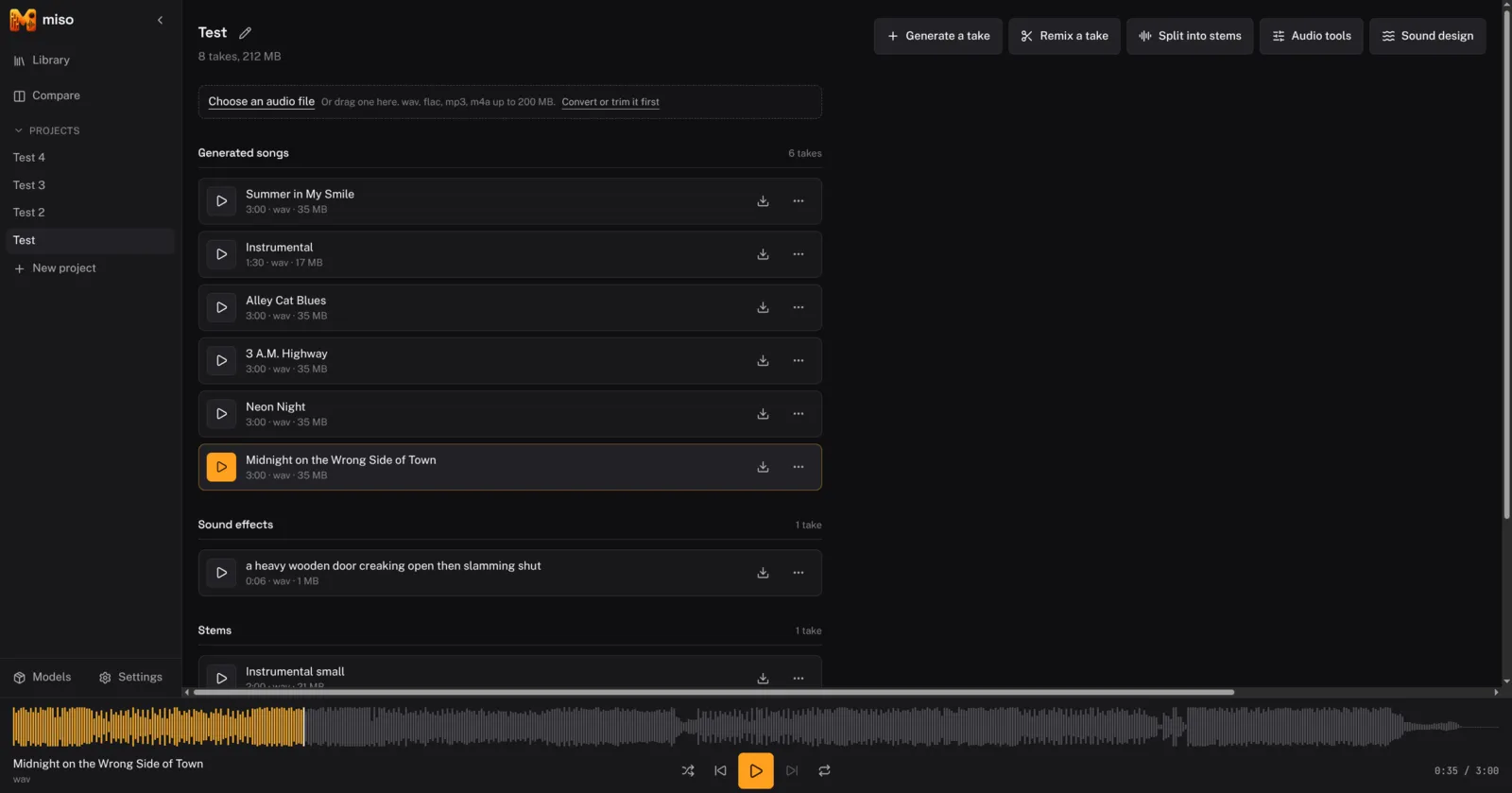
- Model families
- 11
- Studio tasks
- 14
- Network calls
- None
- Licence
- Apache 2.0
Why this exists
Section titled “Why this exists”There are other interfaces for audio.cpp, including one built into the server itself. They are all one-shot: fill in a form, get a file, lose it when you close the tab. None of them goes deep on music.
Miso is project-shaped instead. It keeps your work, tracks how each clip came to be, and lets you feed one result into the next step.
The feature it is built around is ACE-Step’s repaint, which replaces a time span inside a track that you select. Pick the middle eight bars on a waveform, ask for something brighter, and hear it replaced. No other interface on this runtime exposes that as a timeline edit.
Write something, then change it
Section titled “Write something, then change it”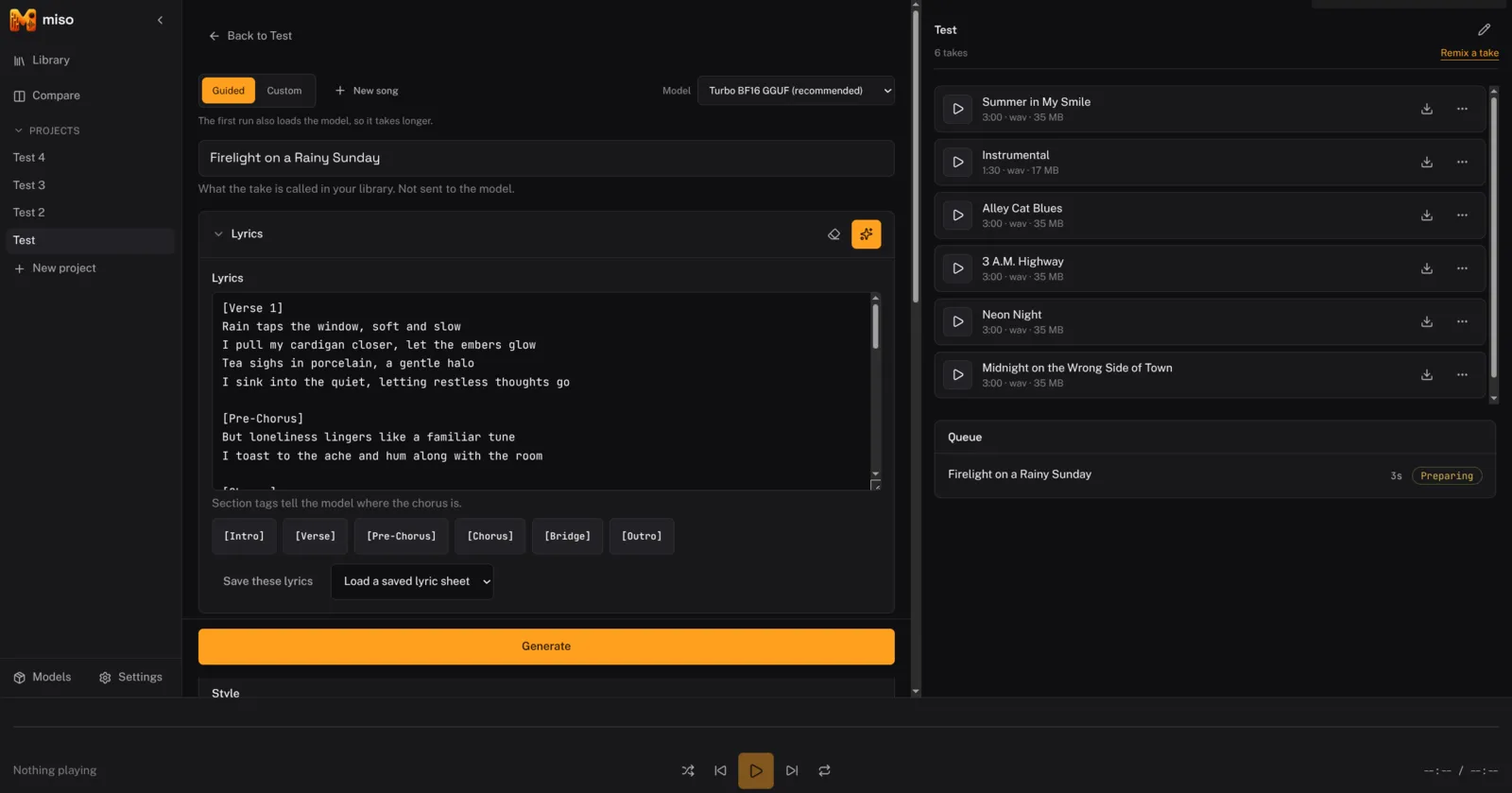
Guided mode builds the prompt from style chips, a vocal mode, a tempo and a key, and shows you the assembled result before you press anything. Custom mode hands you the box directly, opening on whatever the builder had made.
Five generators sit behind that form, one per model family. ACE-Step writes songs you can then edit. YuE2 answers at 48 kHz stereo and hands back the score it planned, which you can edit and give to the next song. MiniMax Music 3 and HeartMuLa take the same idea in different directions. Stable Audio 3 does instrumentals and sound effects.
Miso can write the lyrics too, if you point it at a language model. That runs on an API provider or a local llama.cpp server, whichever you set up.
Pull it apart and put it back
Section titled “Pull it apart and put it back”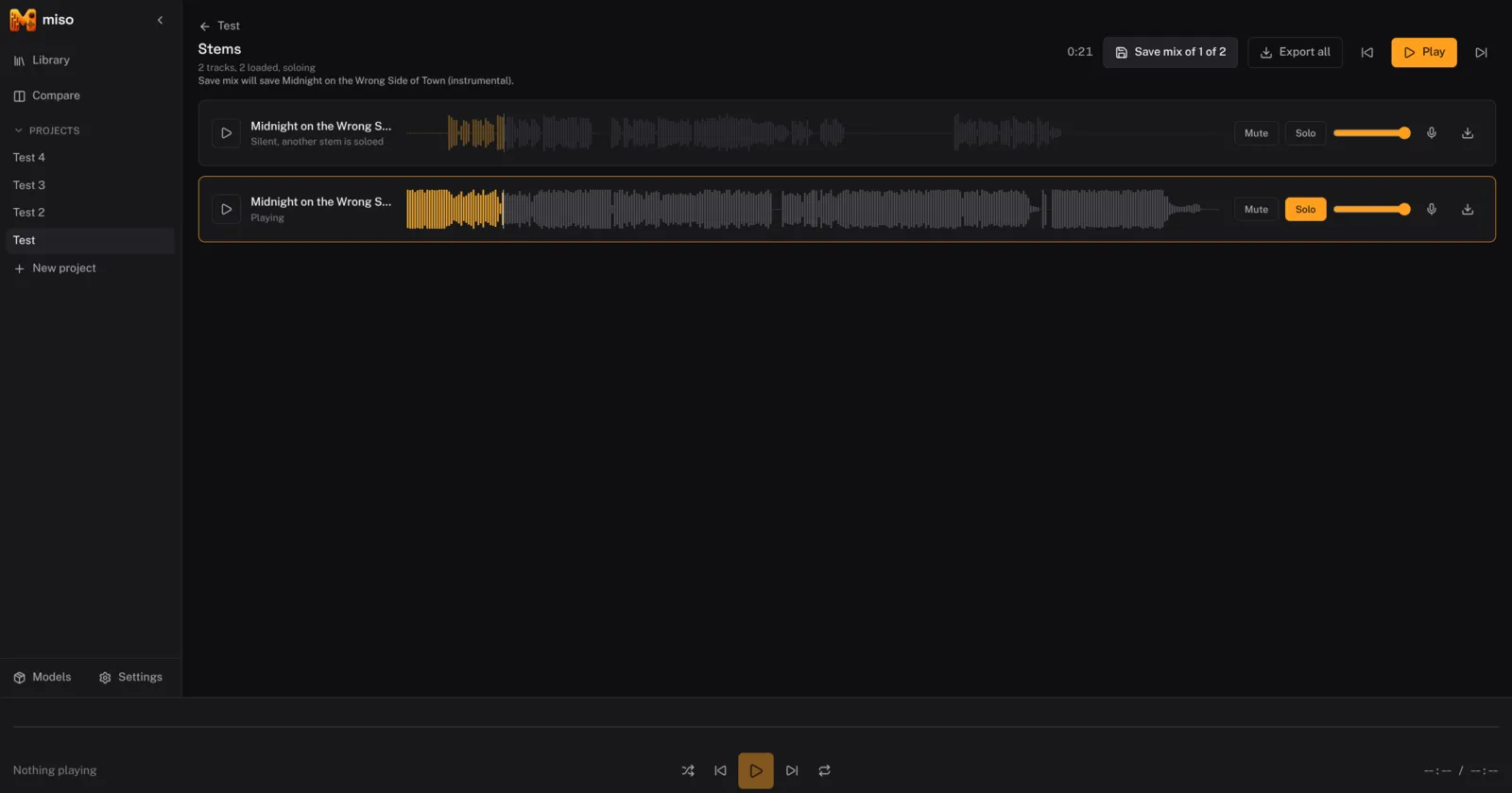
Split a song into vocals and backing, or into four parts with drums and bass on their own. Play each stem, mix them back into a new take, or download the set.
A vocal stem can be sung again: in one of four packaged RVC voices, or in the voice of any other track in the project with Vevo2. You can also write lyrics and have Vevo2 sing them in a voice you pick, following a melody you give it or one it writes itself.
Then transcribe a take to MIDI, hold any two takes against each other, and convert, trim, fade and level audio in the browser without touching a model.
The models
Section titled “The models”Eleven families, and Miso only lists what it has vendored, so speech models stay off a music catalog.
| Family | For | Vocals |
|---|---|---|
| ACE-Step 1.5 | Full songs, repaint, covers | 50+ languages |
| YuE2 | 48 kHz stereo with an editable score | English and Chinese |
| MiniMax Music 3 | Expressive singing, structured lyrics | Yes |
| HeartMuLa | Tag-driven songs, long outputs | Multilingual |
| Stable Audio 3 | Instrumentals and sound effects | No lyric singing |
| RoFormer and HTDemucs | Stem separation | Isolates vocals |
| RVC and Vevo2 | Voice conversion | Converts singing |
| MuScriptor | Audio to MIDI | Transcribes both |
Choosing a model compares them properly, including what each one needs in video memory.
Nothing leaves the machine
Section titled “Nothing leaves the machine”Miso talks to an audio.cpp server, which is the container beside it or a machine on your network. The browser never talks to audio.cpp directly, which is what makes a remote GPU work and keeps hundred-megabyte separation responses out of your tab.
Projects, imports, playback and export never call audio.cpp at all. Stop that container and all of it keeps working.
The one thing that reaches the internet is a model download, and the lyrics assistant if you configured it against an API provider.